The All-in-One Application Security Platform Optimized for DevSecOps
Whether testing one application or thousands, automate any scan, any time, anywhere, all at once
Whether testing one application or thousands, automate any scan, any time, anywhere, all at once
Explore insights into the current state of open source security and get recommendations for securing your open source supply chain
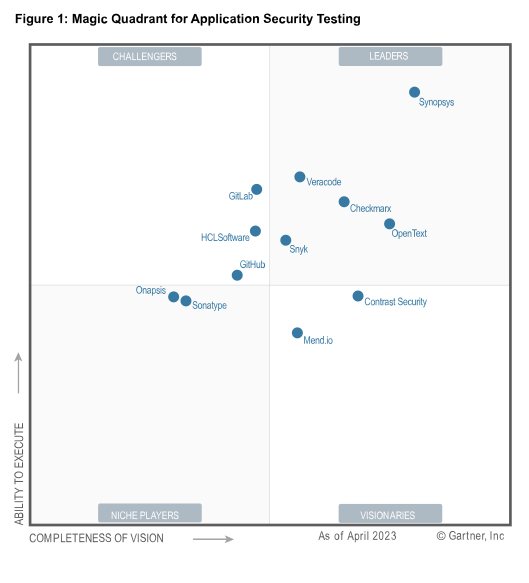
Discover why Synopsys continues to be recognized as a Leader among application security testing vendors evaluated by Gartner®

Optimize your AppSec strategy with consolidated vendors and tools to reduce TCO, improve visibility, and enhance risk management

Every business is a software business. Whether you’re selling it directly to your customers or relying on it to run your operations. Synopsys helps you protect your bottom line by building trust in your software—at the speed your business demands.

Building applications that users can trust requires securing everything that goes into it. Comply with supply chain requirements through comprehensive Software Bill of Materials (SBOM) management and eliminate risks throughout the application development life cycle.

Transforming your business through software requires speed and agility. Maintain productivity with easy, developer-friendly solutions integrated and optimized for the needs of DevSecOps.

Managing risk at scale requires you to rein in tool sprawl, centralize policies and reporting to enable a single view of risk. Shift application security everywhere so you can improve your risk posture and your AppSec program’s total cost of ownership.
Security can’t be a solo act. From developers to CISOs and everyone in between, security is a team effort best achieved by clear roles and responsibilities, and defined outcomes.

Build secure, high-quality, and compliant software faster and easier than ever before.
Learn more
Maintain speed and innovation by building security into development pipelines.
Learn more
Prioritize and act based on defined policies, automated workflows, and correlated risk insights.
Learn more
The format that Citi and Synopsys developed offers a great opportunity for team training—dynamic collaboration among the attendees to apply knowledge to common situations and problems faced by the team.
Peigi Maides
VP of AppSec awareness and training program manager of CISO office, Citi
Read the full story

With Synopsys’ tools and consulting support, we have been able to create a robust open source compliance program, develop policies and procedures, and train employees.
Kellen Ponikiewicz
IP counsel, Nuance
Read the full story
We would strongly recommend the Synopsys AST tools to all enterprises, especially those specializing in embedded systems where code quality is of paramount importance.
Do Van Khav
Chief delivery officer and executive VP, FPT Software
Read the full story
We’re now able to ensure that none of our products are released with open source license risks or security issues.
John Vrankovich
Principal architect, JDA Software
Read the full story